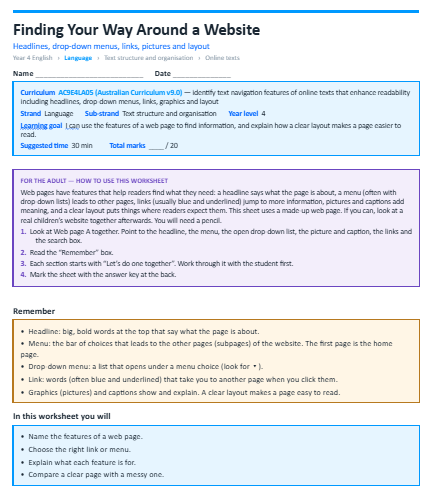
This worksheet teaches students to use the headline, drop-down menu, links, pictures, captions and layout of a web page to find information, and to compare a clear page with a cluttered one. The worksheet is split into easy, medium and hard sections, plus an extension task to stretch confident students.
The concepts it covers:
- Headline: big, bold words at the top that say what the page is about.
- Menu: the bar of choices that leads to the other pages (subpages) of the website. The first page is the home page.
- Drop-down menu: a list that opens under a menu choice (look for ▾).
- Link: words (often blue and underlined) that take you to another page when you click them.
- Graphics (pictures) and captions show and explain. A clear layout makes a page easy to read.
What your child will practise:
- Naming the features of a web page.
- Choosing the right link or menu.
- Explaining what each feature is for.
- Comparing a clear page with a messy one.
Every section opens with a “Let’s do one together” example and a short note for the adult helping. The download includes a full answer key, with marking guides for open answers and teaching notes.